

Why waiting for applicants loses good workers
In blue-collar hiring, the best workers rarely stay on the market for long. A forklift operator who starts looking on Monday may have three offers by Wednesday. Whoever reaches them first usually wins.
That is why posting a job and waiting is not enough. You also need a way to go out and find people who already have the skills you need, and who live close enough to show up every shift.
What Talent Search does
Talent Search shows you job seekers near your worksite on a map. You can filter them by skills, experience and badges, review their profiles, and contact the right ones directly. You are not waiting for them to find your post. You find them.
How to use Talent Search, step by step
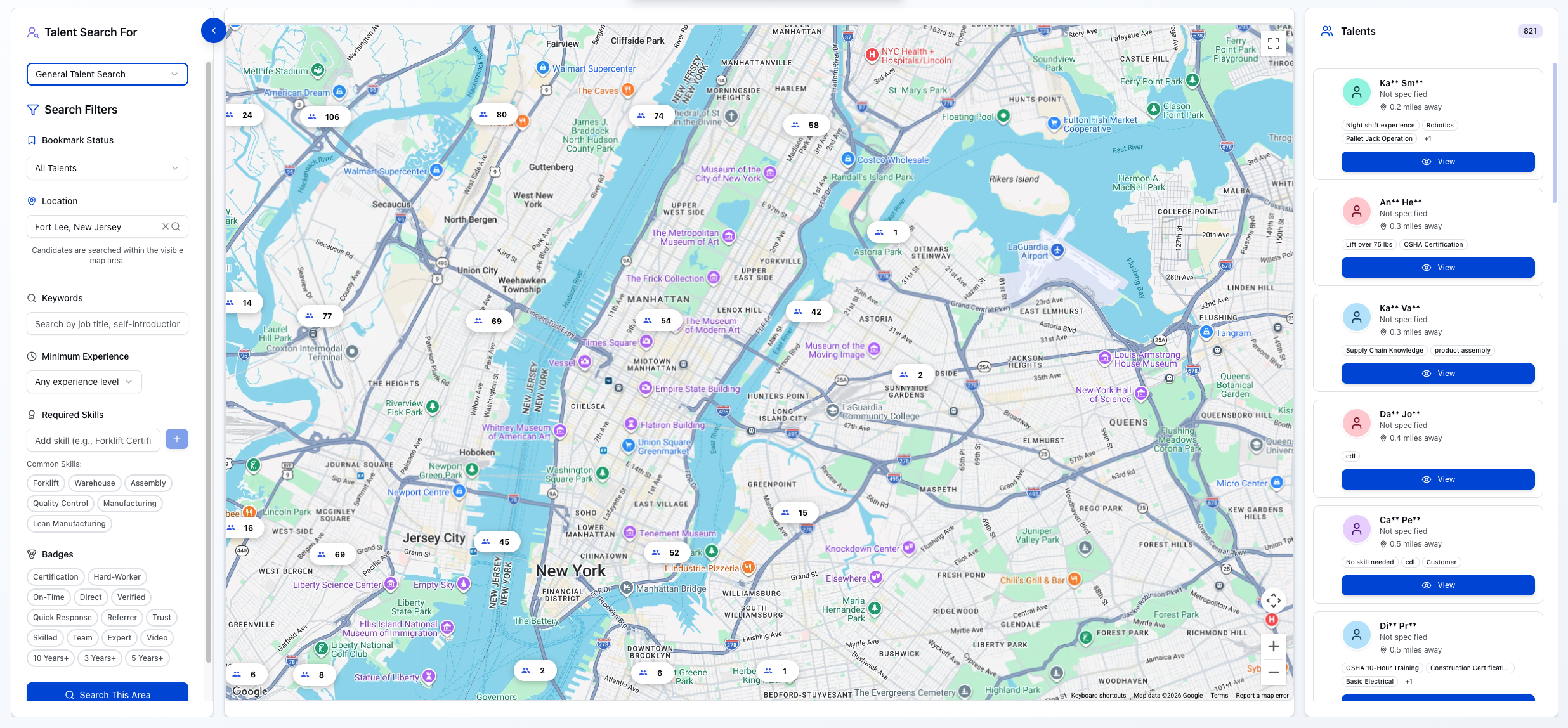
1. Choose what you are hiring for. At the top of the filter panel, pick General Talent Search to browse everyone, or select one of your active jobs. Talent Search then shows the candidates who best match that job.
2. Set your area on the map. Enter your location or move and zoom the map. Talent Search only looks at the area visible on the map, so zoom in to stay within a realistic commute. Each pin shows how many workers are in that area.
Tip: Set your company location in Settings. Searches will then start from your site instead of your current location.
3. Filter for the skills the job needs. Add required skills, or pick from common ones such as Forklift, Warehouse, Assembly, Quality Control and Manufacturing. Set a minimum experience level, and search keywords from job titles and self-introductions.
4. Use badges to find reliable workers. Badges such as Verified, On-Time, Hard-Worker and Quick Response help you spot people who are likely to show up and respond fast. Experience badges (3, 5 or 10 Years+) narrow the list to seasoned workers.
5. Review talent cards. The list on the right is sorted by distance. Each card shows the worker's job title, how far away they are, and key tags such as Lift over 75 lbs, Cold storage experience or Spanish-speaking. Click View to see the full profile.
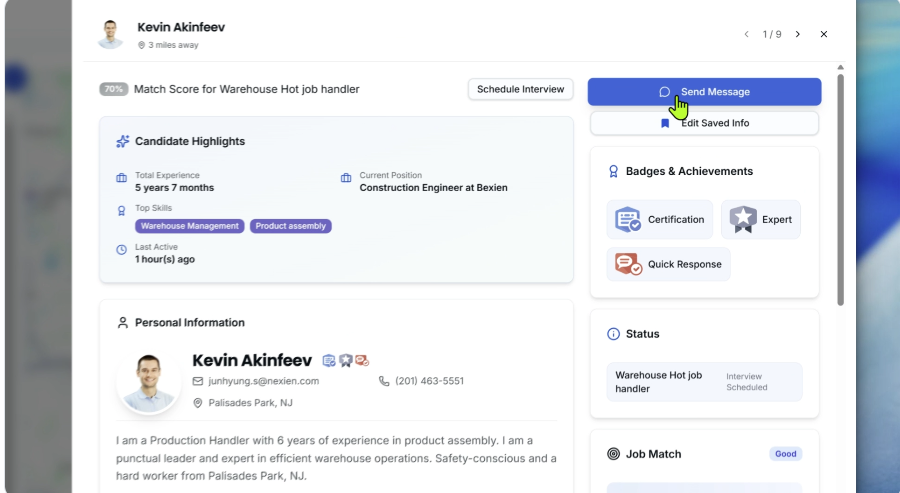
6. Unlock and reach out. Worker names and contact details stay private until you unlock a profile. Once unlocked, you can chat, schedule an interview or send an offer from JobBlueLink.
Tips for blue-collar hiring with Talent Search
Keep the map tight. Workers who live close are more likely to accept, show up on day one, and stay.
Filter on physical requirements. Tags like Lift over 75 lbs save you from interviewing people who cannot do the job.
Move fast. Message promising workers the same day. Speed matters more than a perfect shortlist.
Save people for later. Bookmark good workers who are not right for today's role. They will be in your Candidates list for the next opening.
Start finding workers near you
Your next great hire may already live ten minutes from your site. Open Talent Search, set your area, and see who is nearby.